 Voxel3D
VOXEL3D / 3D tools
GLB to STL Converter
Convert the geometry in a self-contained GLB to STL for your slicer.
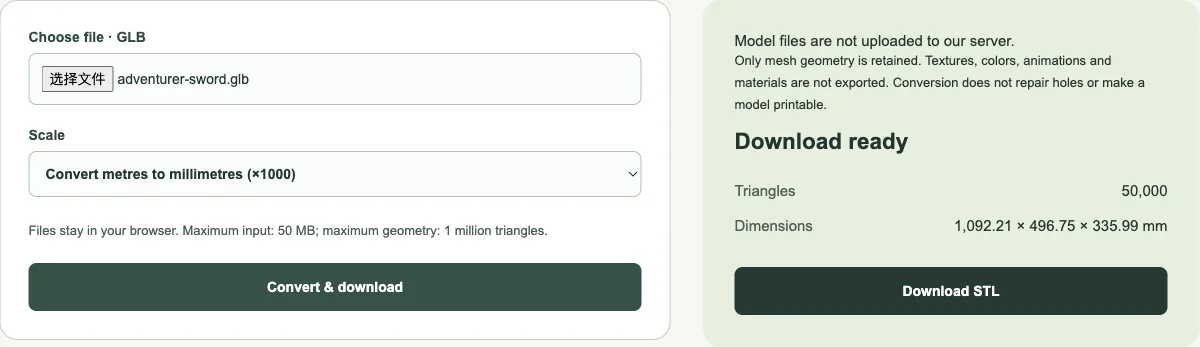
No sign-in neededOnly mesh geometry is retained. Textures, colors, animations and materials are not exported. Conversion does not repair holes or make a model printable.
When you need to convert GLB to STL
GLB to STL is useful when a textured asset needs to enter a printing workflow that expects a triangle surface. A GLB can look finished in a web viewer while still needing geometry work for printing. Converting provides the surface in a commonly accepted slicer format; it does not decide whether a narrow ankle will survive, whether intersecting parts should be united, or whether an open shell needs a thickness operation. Those decisions belong to model preparation and slicing.
Start with the version of the asset you intend to manufacture. A lightweight browser preview may have fewer triangles than the full download, so do not assume that converting the preview will restore detail from a larger source file. Conversely, a very dense download can be unnecessarily difficult to handle. Keep an unchanged GLB, make a separate printing copy, and compare important details after any simplification or repair. The converter reports geometry dimensions so you can notice an unexpected scale before exporting more files.
GLB and glTF are related, but they are not interchangeable uploads
glTF describes scenes using a structured asset format. A .gltf delivery commonly consists of a JSON file plus separate binary buffers and images. A .glb container packages a JSON description and binary content in one file, making it convenient to move between applications. However, a GLB can still contain external references. This tool requires self-contained mesh data and refuses external buffer or image URLs rather than silently fetching missing files from other websites.
Upload a .glb file here, not a renamed .gltf file or an archive containing a folder of dependencies. If your source is a .gltf package, open it in an application that understands all its companion files and export a self-contained GLB first. Renaming the extension changes the filename, not the container format. When you have several assets in one scene, inspect the exported result: visible mesh parts and their transforms can produce a combined surface rather than the single object you had in mind.
Why GLB to STL drops colors and materials
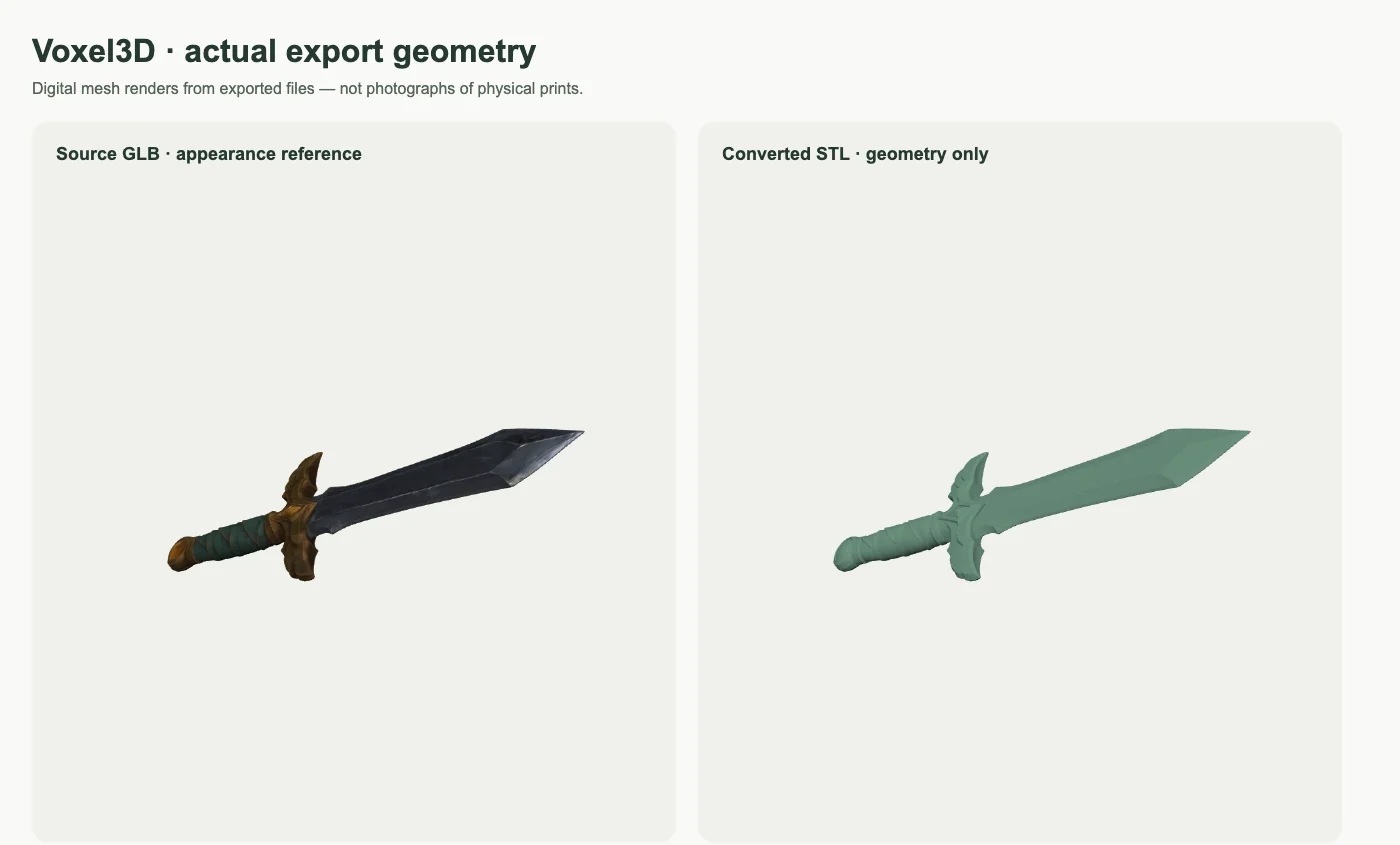
A textured GLB may describe mesh geometry, UV coordinates, image textures, materials and animation. STL is a much narrower delivery format for triangle surfaces. This tool deliberately removes appearance data before loading the source geometry, so it does not download or decode textures that will not be used. The STL download contains neither the original painted appearance nor separate PBR material channels. A richly colored viewer screenshot should not be read as a promise of colored printer output.
If color is essential, decide on your manufacturing workflow before choosing the export format. Painting a single-material print, assigning materials in a suitable slicer, or using a format and printer pipeline that supports color are separate operations. Merely converting GLB to STL cannot infer the number of physical materials you need. Keep the original GLB for reference while you inspect the uncolored surface; missing-looking detail may have been represented by a texture rather than by actual geometry.
GLB to STL units: why ×1000 changes the size
glTF uses metres as its coordinate-unit convention, whereas printing workflows commonly interpret STL coordinates as millimetres. The default option multiplies every coordinate by 1000 to express the same physical dimensions in millimetres. For example, a source width of 0.08 metres becomes a numeric width of 80. A slicer interpreting that STL as millimetres then sees an 80 mm object. This is a unit conversion, not an instruction to manufacture an object one thousand times larger.
Some files have already been authored with millimetre-sized coordinate numbers despite using a GLB container. Applying another ×1000 conversion to those files creates an unintended enlargement. Use Keep numeric coordinates when that matches the source, then verify one known measurement in the slicer. A model without any reliable physical reference may need a deliberate target size after import. Do not rely on the apparent zoom level in a viewer to decide which units the file uses.
Draco, Meshopt and the geometry limits
This browser implementation configures Three.js to decode Draco and Meshopt geometry compression. These encodings can reduce the GLB download size without implying that the underlying mesh has only a few triangles. Decoding happens on your device; the Draco decoder resources are served from Voxel3D rather than from a third-party decoder CDN. Textures are ignored because the requested output has no texture representation. An unsupported or malformed container produces an error instead of a partial result presented as complete.
The upload limit is 50 MB and the geometry budget is one million triangles. Decompression can require more memory than the file size suggests, especially on a phone. Close other large editing tasks before handling a dense scene, and use a desktop mesh editor if the browser cannot complete the operation. The tool exports a static surface with scene transforms applied, not an animation sequence. It does not promise a production character rig, mesh cleanup, collision generation or a manufacturing-ready solid.
A GLB to STL inspection routine before slicing
First compare the reported bounding dimensions with the source. Next import the STL into a slicer, choose the intended orientation, and inspect the first layer and every region touching the build plate. Pay attention to separate shells, surfaces that intersect without a useful union, very thin details and areas that need supports. Preview the sliced toolpaths, not just the shaded mesh. A surface that looks continuous in a render can still contain printing problems.
For a controlled software test, our converter takes a one-metre triangle translated in a GLB scene and verifies the expected coordinate scaling and placement in STL. That establishes the behavior of the transform and unit options; it does not validate an arbitrary user file. If you need repairs, save the converted file separately, inspect it in a mesh editor, and recheck dimensions after modification. For image-generated models, use the image preparation guide to understand why unseen surfaces are estimates before treating the output as a measured physical design.
References
GLB to STL Converter · Frequently asked questions
Can I use this without an account?
Yes. These tools run without sign-in, credit purchases or model-generation requests.
Does converting a file make it ready to print?
No. Conversion changes the file format. Inspect the mesh in a slicer and repair or add supports where necessary.